
hgh bodybuilding

Archive for the 'Topic' Category

Concept and Configuring VLAN’S

Friday, August 7th, 2009

A VLAN is a Virtual LAN which allows us to logically separate computers on our network.   In previous years, an office would have a physical switch or hub in each office, and offices were structured around the job function. In other words, all sales people would be in the same office and would all [...]

Port Security on a Cisco Switch

Thursday, August 6th, 2009

In order to control what machines are plugged into your network, Cisco introduced the “switchport port-security” command.   In this tutorial I’m going to explain how to use this command, and different options available using it.   Below is the breakdown of the commands I used in the live demo, and an explanation of each. [...]

Configuring a Trunk port on a Cisco Switch

Wednesday, August 5th, 2009

Once VLANS have been defined on a switch and you have placed ports into their corresponding VLANS, traffic is limited to remain inside it’s Virtual LAN. The only way for traffic to leave the switch, is to have it sent on a port that is in the same VLAN as its source, or sent over [...]

Configuring an Access port on a Cisco switch

Tuesday, August 4th, 2009

Almost 100% of Cisco switches will have a 50 second delay on a port before it goes live. What this means, is that when you plug a new device into a switch such as a PC, there will be a 50 second delay before the port will become active and the PC will be able [...]

Configuring an IP address and Default-Gateway on a Cisco Switch

Monday, August 3rd, 2009

The configuration of an IP address on a switch is slightly different from a router. On a router we configure the IP address on the physical interface, however on a switch the physical interfaces are running at Layer 2 and hence don’t have IP addresses configured on them.   Even though a switch does not [...]

Configuring SPAN on a Cisco Switch

Friday, July 31st, 2009

SPAN (Switched Port Analyser) is a requirement whenever you have a system that wishes to log and monitor traffic that is passing through a switch. Since a switch only sends traffic to the machine requiring the packets, adding a sniffer to the switch would result in you only seeing traffic to your sniffer, from your [...]

Configuring Syslog on Cisco Routers

Thursday, July 30th, 2009

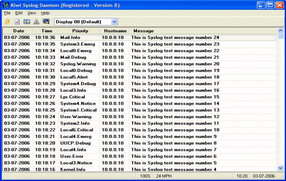
As part of any management and audit solution for networking, Syslog is vital.   Syslog messages allow us to track system error messages, exceptions, and other information, such as device configuration changes. It allows for historical reporting, depending on the application keeping the logs, as well as help in fault finding.   Cisco devices support [...]

Restoring Cisco Router Configuration

Wednesday, July 29th, 2009

In the event that you have lost the configuration on your Cisco device, restoration is straight forward assuming of course you had made a backup. There are 2 ways to restore the configuration to put our device back to normal                   1/ Copy and paste the backup configuration directly to the device                 2/ [...]

Upgrading the IOS on a Cisco Router

Tuesday, July 28th, 2009

Cisco brings out new versions of the operating system quite frequently, and of course there are different versions of the operating system for each of the appliances. Different IOS’s will support different commands and different features and it’s not uncommon to have to change the IOS that your device is running to support commands you [...]

Backing Up the Running-Config and IOS

Monday, July 27th, 2009

The first and most important rule in IT, is “Backup soon, Backup often!” It’s a logical statement but sadly one that many people only truly appreciate when it’s too late!   Two of the most important files on a Cisco router are the Running-Config which stores the current configuration of your router, and the IOS [...]